
Valorant Crosshair Suddenly Changed? 6 Things to Check First
Your Valorant crosshair changed overnight and you never touched the settings? Here are the six things to check first, from resolution to account security. Read the fix.
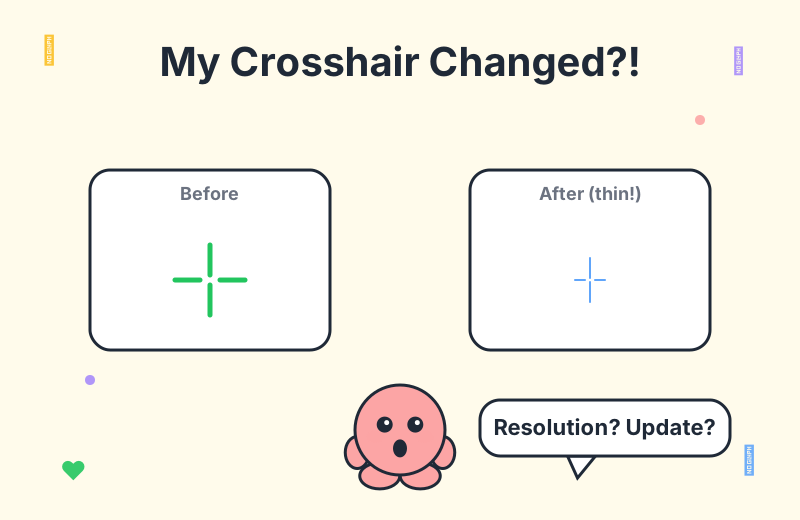
This scenario is far more common than you might think. According to a recent r/VALORANT thread, a player came back to find their favorite long-term crosshair had visibly shifted, and the only thing they could pin it on was a single deathmatch session played on a laptop a few days earlier. The comments quickly split into three camps: resolution purists, update skeptics, and account-theft worriers. The truth is that a crosshair can shift for half a dozen reasons, and most of them are harmless once you know where to look.
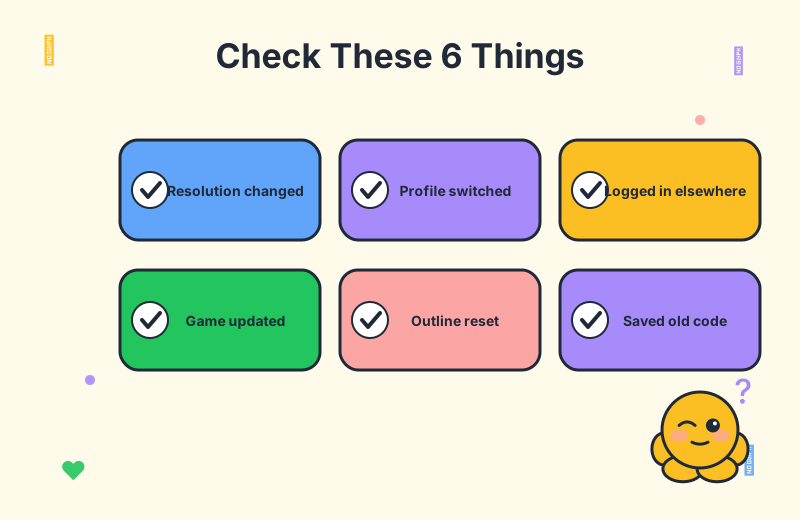
Before you panic or reset your entire config, run through this checklist. Most "my crosshair changed" cases trace back to one of the six culprits below, and a few of them take less than thirty seconds to confirm.
1. Did You Play on a Different Device or Resolution?
This is the single most common explanation, and it is the one the Reddit thread zeroed in on first. Valorant crosshairs are defined in pixels, not as a percentage of your screen. That means the same crosshair code will render at a different visual size depending on the resolution your monitor (or laptop panel) is running.
Players on Reddit report that logging in on a laptop for even one deathmatch is enough to trigger this. A 1920x1080 desktop and a 2560x1440 laptop screen are not the same canvas — your inner line length, outer line thickness, and gap all read as different physical sizes on each. The crosshair did not actually change; the pixel grid did.
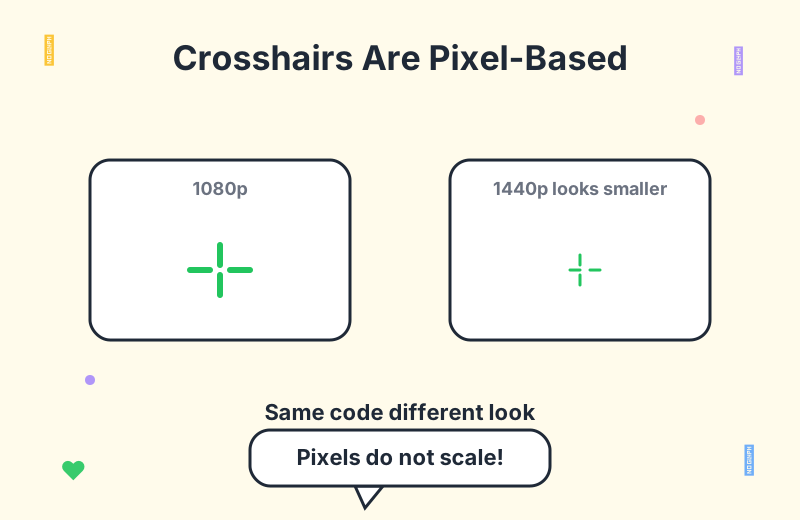
If you want a valorant resolution crosshair sanity check, open your settings and confirm both the resolution and the display mode (fullscreen vs windowed) match what you normally use. Switching between a 4:3 stretched feel and a native 16:9 will also warp how the crosshair looks, even if the underlying code is identical.
2. Did a Recent Valorant Update Change the Crosshair Rules?
The second most blamed suspect is a patch. Major updates — especially engine upgrades or changes to how the outline system is handled — can rewrite how an existing crosshair code renders. You did not change anything, but the game now interprets your old code differently.
A valorant update changed crosshair situation is usually subtle. One commenter noticed that their crosshair looked like its outline and blur had been quietly tightened, as if the game had "auto-improved" the clarity. That is the signature of an engine-side change to the outline or anti-aliasing logic, not a hack on your account.
If a recent patch lines up with when your crosshair started looking off, this is almost certainly the cause. The fix is not to hunt through your settings line by line — it is to re-import a saved copy of your original crosshair code and trust that over the in-game rendering memory. Keep reading for where to store that code.
3. Check Your Crosshair Profile List for Dupes and Bloat
This one surprises people. Valorant has a long-standing quirk where having too many saved crosshair profiles can trigger a save or reset bug. Profiles disappear, the active profile silently reverts, or a duplicate overwrites the one you actually use.
If your valorant crosshair profile list has grown to a dozen or more entries — half of which are old codes you imported once and forgot about — trim it. Players on Reddit suggest deleting the ones you no longer use and keeping only a handful of active profiles. This single cleanup step has fixed more "my crosshair keeps resetting" complaints than any other tweak.
While you are in there, give your main crosshair a name you will recognize. An unnamed profile called "Crosshair 7" is a lot easier to lose track of than one labeled "Main Aim Code". This also makes the next step easier.
4. Re-Import Your Saved Crosshair Code
The Reddit OP found their original crosshair again, but noticed that the new code they generated did not match the old one. That mismatch is exactly why you should never trust your only copy of a crosshair to live inside the game itself.
The moment you have a crosshair you love, copy the full share code and save it somewhere outside Valorant — a plain text file, a notes app, a cloud doc, anywhere. When something shifts, you can paste it back in and be certain you are running the exact same config as last month.
If you do not have your old code saved, browse a professional crosshair database to find a comparable setup, or spin one up in a crosshair generator to match the look you remember. It is not the same as recovering your exact code, but it gets you back into a known-good state fast.
5. Adjust Inner and Outer Offset to Restore the Old Feel
Sometimes the code is right but the feel is wrong. A few players in the thread pointed out that the quickest path back to your original crosshair feel is to nudge the inner line offset and outer line offset values. These two sliders control how far the lines sit from the center dot, and they are the single biggest lever on how "tight" or "loose" a crosshair reads.
If your crosshair suddenly looks sharper or thinner than you remember, raise the inner offset by one or two ticks. If it looks too sparse, lower it slightly. This is the kind of micro-adjustment that gets you back into a familiar aim state without rebuilding the entire profile from scratch.
Outlines interact with this too. If an update tightened your outline, dropping the outline thickness by one level can restore the original silhouette. Pair that with an offset tweak and most "auto-changed" crosshairs snap back to muscle memory.
6. Rule Out an Account Compromise
The scariest possibility — and the one the OP was genuinely worried about — is that someone else logged into the account and swapped the crosshair. It is rare, but it happens, and crosshair changes are sometimes the first visible sign.
Do not rely on match history alone. Someone testing access may not queue a game. Instead, check the inbox of the email tied to your Riot account for login alerts from new locations. Riot sends these automatically, and a login from a city you have never visited is a clear red flag. You can also review recent login activity directly on the Riot account security page.
If anything looks off, change your password immediately, enable two-factor authentication, and sign out of all sessions. A valorant crosshair reset is annoying; a stolen account is a disaster. Treat a sudden crosshair change combined with unfamiliar login alerts as a security incident, not just a settings quirk.
Frequently Asked Questions
Why did my Valorant crosshair change by itself?
The most common cause is a resolution change, often from logging in on another device. Because crosshairs are pixel-based, a different pixel density makes the same code render differently. Updates and engine changes can also alter rendering, and account access from a new location is the one serious cause worth ruling out.
Did a Valorant update reset my crosshair?
Major updates — especially engine upgrades or changes to the outline system — can change how an old crosshair code renders. If your settings look off right after a patch, re-import your saved code, or manually adjust the outline and offset values until the silhouette matches what you remember.
How do I know if someone logged into my Valorant account?
Check your email for Riot login alerts from new locations, and review recent login activity on the Riot account security page. Do not rely on match history alone — a probing login may never queue a game. If you see anything unfamiliar, change your password and turn on two-factor authentication.
Should I save my crosshair code somewhere?
Yes. Save the full share code in a text file or cloud note so you can re-import it instantly if a profile is lost, reset, or rendered differently after an update. This is the single best safeguard against unexpected changes, and it takes about ten seconds.
My crosshair keeps disappearing from the profile list. Why?
Having too many crosshair profiles can trigger a save or reset bug. Delete the ones you no longer use and keep only a few active profiles. Naming your main crosshair something recognizable also helps you notice immediately if it gets swapped or overwritten.
Conclusion
A crosshair that suddenly looks different is almost never a sign that something is broken. In the vast majority of cases the cause is a resolution change from logging in on another device, a recent update tightening the outline rendering, or a bloated profile list triggering a save bug. Work through the six checks above in order — resolution, recent patch, profile list, saved code, offset tweak, account security — and you will land back on a crosshair you trust.
The best habit you can build today is simple: copy your current crosshair code into a note outside the game. That single backup turns every future "my crosshair changed" scare into a thirty-second fix. For more setup ideas, dig through a professional crosshair database, experiment in a crosshair generator, or browse more guides on the Valorant blog. And if you ever want to take a break from competitive tuning, the fun crosshairs collection is a great place to mess around.