
CS2 to Valorant Crosshair Converter: How to Convert (and Why It Is Never 1:1)
Need a CS2 to Valorant crosshair converter? Learn how to port your share code, scale for 1440p, match sensitivity at 3.15:1, and avoid the T-style trap. Read the full guide.
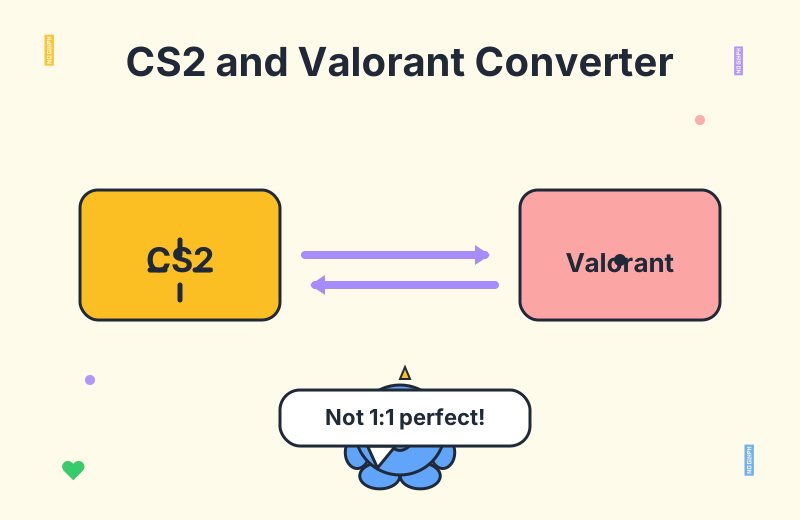
A good cs2 to valorant crosshair converter closes that gap by translating one game's share code into the other's equivalent on the fly, complete with a live preview. The keyword is equivalent, not identical. As players on Reddit repeatedly point out, the conversion is always an approximation. Understanding why it can never be 1:1 is the difference between a crosshair that feels like home and one that quietly throws off your aim.
Why Two Games With the Same Vibe Have Incompatible Crosshair Codes
CS2 crosshairs are defined inside a config system that traces back to Counter-Strike 1.6. Settings like cl_crosshairsize, cl_crosshairthickness, and cl_crosshairgap describe a parameterized shape that the engine scales at runtime. Valorant, by contrast, stores its crosshairs as a structured string of absolute pixel values. A length of 3 in Valorant literally means three pixels. This is the first reason cs2 crosshair to valorant conversion can never be perfect: one system is procedural and resolution-aware, the other is a fixed pixel grid.
The OP behind a popular community converter put it bluntly: they were tired of manually rebuilding the same crosshair on both sides, so they built a tool that ingests a share code from either game and spits out the equivalent code for the other. CS2 and Valorant use entirely different formats and neither natively supports importing from the other. That last clause matters. A lot of players assume Riot or Valve will eventually add a bridge; they will not. Third-party conversion is the only path.
The standout feature players praise is the side-by-side preview rendered against a real game background. Pure numbers are easy to second-guess; a crosshair floating over an actual screenshot of Bind or Mirage is instantly verifiable. One player noted that the preview is what makes the tool trustworthy, because you can see the result before you paste a single line into a console.
The Core Mappings: Length, Thickness, Gap
If you want to do the valorant crosshair conversion by hand, the community has settled on a set of approximate mappings. They are not magic; they are pixel-counted averages that hold up well for typical crosshairs.
0.5 → Valorant 1, 1 → 2, 1.5 → 3, 2 → 4. The rough ratio is two Valorant units per one CSGO unit.0 typically maps to Valorant 1. Line thickness is the most forgiving value to convert.-3 → Valorant 2, and CSGO 0 → Valorant 5. Gap is measured differently because Valorant's gap is added to a baseline, while CS2's is a signed offset.Color is the easy part. An RGB value of 0 255 0 green in CS2 is the same 0 255 0 green in Valorant. Where players get tripped up is opacity and outline. Valorant splits outline and center dot into their own toggles, while CS2 folds them into the crosshair style index. If your CS2 crosshair uses a non-default style, expect some guesswork.
This is also where the divergence shows up most clearly. Players on Reddit report that T-style crosshairs, dot-only crosshairs, and dynamic crosshairs that expand on movement do not have clean 1:1 equivalents in Valorant. The result can look "weird" or sit slightly off-center. For those edge cases, a converter gives you a starting point, not a finished product.
Resolution Scaling: The Hidden Variable Everyone Forgets
Here is the trap that catches even experienced players. Both CS2 and Valorant draw crosshairs in pixels, but a pixel is not the same physical size at every resolution. Move from 1080p to 1440p and the same code renders visibly smaller on screen, because each pixel occupies less physical space.
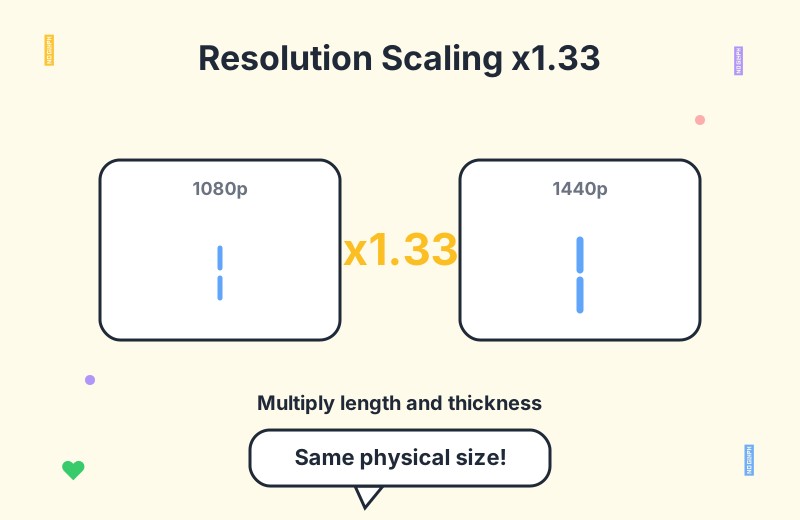
The community rule of thumb is to multiply both length and thickness by roughly 1.33 when jumping from 1080p to 1440p. That number is not pulled from thin air. 2560 divided by 1920 is 1.333, so scaling linear crosshair dimensions by that factor keeps the on-screen footprint constant. The same logic applies in reverse when dropping from 1440p to 1080p: divide by 1.33 to avoid a crosshair that suddenly eats half your screen.
This is one of the points where the community legitimately disagrees. Some converter tools auto-detect your target resolution and bake the 1.33 factor in. Others output a raw value pair and leave the scaling to you. Neither is wrong, but the disagreement is real. Players who swap resolutions often prefer raw output so they can re-tune once; players who play at a fixed resolution appreciate the auto-scaling. If you want to dive deeper into how your resolution interacts with everything else, our crosshair generator lets you preview at multiple aspect ratios before you commit.
Sensitivity: The 3.15 Ratio and the Zoom Sensitivity Trap
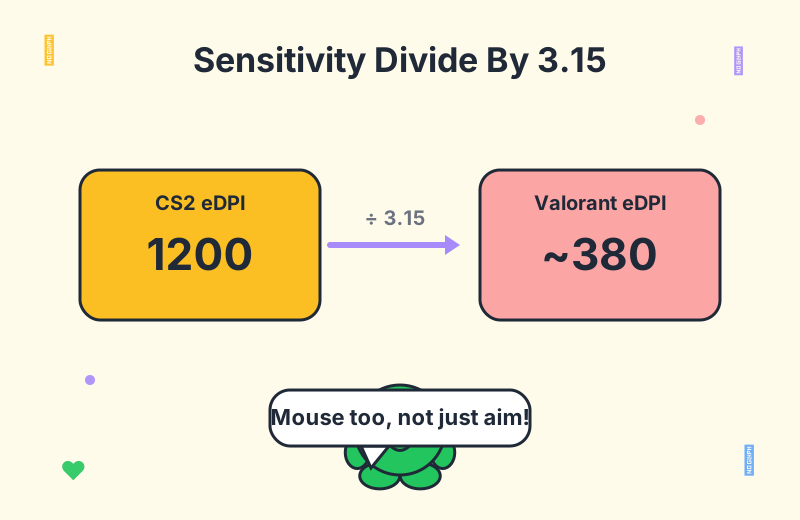
Crosshairs are only half the equation. A converted crosshair on the wrong sensitivity feels alien, so most players want a cs2 valorant sensitivity conversion alongside their crosshair port. The widely accepted eDPI ratio is 3.15 to 1. Divide your CS2 eDPI by 3.15 and you land on a close Valorant eDPI.
A CS2 player running 1200 eDPI (for example, 800 DPI at 1.5 in-game) lands near 380 eDPI in Valorant. That is 800 DPI at roughly 0.475. Close enough to be a starting point, and most players fine-tune from there in small increments.
Zoom sensitivity is the part that quietly ruins aim. CS:GO's zoom sens 1.0 does not equal Valorant's zoom sens 1.0. Players have measured this carefully, and the rough conversion is that CS:GO zoom sens 1.0 paired with Valorant hipfire 1.0 corresponds to a Valorant zoom sens of about 1.181. If you mains AWP or Operator and you skip this step, your scoped flicks will land short every single time. It is a small number that makes a big difference, and most converters do not handle it because it sits outside the crosshair code itself.
Manual Recreation: The Pixel-Counting Method
When precision matters more than speed, the most reliable method is the one seasoned players fall back to: take a zoomed-in screenshot of your CS2 crosshair, count the pixels, and recreate it in Valorant using one pixel equals one length unit. It sounds tedious, and it is, but it removes every layer of approximation.
The workflow goes like this. Screenshot your crosshair centered on a known distance. Open the image in any editor that shows a pixel grid. Measure the inner line length in pixels, the thickness in pixels, and the gap between the inner line ends. Punch those raw numbers into Valorant's crosshair settings. Because Valorant's length values are literally pixel counts, the result is the closest thing to a true 1:1 port you can get.
This is also the only method that handles weird CS2 styles gracefully. If you have a T-crosshair, a square dot, or a layered setup with outline plus dot plus lines, manual pixel counting lets you make judgment calls per element instead of trusting an algorithm to map something that has no direct equivalent. For inspiration on what is even possible in Valorant, browsing a professional crosshair database or a set of fun crosshairs can sharpen your sense of what the engine does well and what it does poorly.
When a Converter Wins and When It Loses
A converter wins when you are dealing with a standard four-line crosshair, a single color, and a clean outline. That covers the majority of competitive setups. Paste a CS2 share code, get a Valorant code back, verify on the preview, paste it in, done. The whole loop takes under a minute, which is exactly the friction the OP of that community thread was trying to eliminate.
A converter loses when you hit the edge cases. T-style crosshairs, expansion-on-fire dynamics, multi-color outlines, and resolution mismatches all push the result out of the trustworthy zone. This is where the players who argue against pure number conversion have a real point. As one commenter put it, the most reliable check is a zoomed screenshot, because your eyes are a better validator than a mapping table.
The pragmatic approach is to use both. Run the converter for a fast first pass. Then eyeball the preview against a real game background. If anything looks off, fall back to the pixel-counting method for the one or two settings that feel wrong. You will rarely need to redo the entire crosshair by hand; usually it is one value, often length or gap, that needs a nudge.
Frequently Asked Questions
Can I directly import a CS2 crosshair into Valorant?
No. Valorant does not natively support importing CS2 crosshairs. You need a third-party converter or manual recreation, because the two games use entirely different crosshair code formats. Riot has shown no sign of adding a native bridge, so for the foreseeable future, conversion is the only path.
Is a converted crosshair exactly the same?
Rarely. Some CS2 settings, like T-style crosshairs and dynamic expansion, have no 1:1 equivalent in Valorant, so the result can look slightly off. Always verify visually on a real game background before trusting it in a ranked match. The preview is the safety net.
How do I convert crosshair size from 1080p to 1440p?
Multiply the length and thickness settings by about 1.33. Because crosshairs are pixel-based, a higher resolution makes the same code render smaller unless you scale it up. The number comes from 2560 divided by 1920, and it works in both directions: divide by 1.33 when dropping back to 1080p.
What is the CS2 to Valorant sensitivity ratio?
The eDPI ratio is roughly 3.15 to 1. Divide your CS2 eDPI by 3.15 to get an approximate Valorant eDPI. So CS2 1200 eDPI is close to Valorant 380 eDPI. For scoped aim, remember that CS:GO zoom sens 1.0 maps to roughly Valorant zoom sens 1.181, not 1.0.
How do I convert a CS2 crosshair manually?
Take a zoomed-in screenshot of your CS2 crosshair, count the pixels, and recreate it in Valorant using one pixel equals one length. Use the known mappings, like CSGO length 1 equals Valorant 2, as a starting point. Manual recreation is the most accurate method for non-standard crosshairs that a converter handles poorly.
Conclusion
A cs2 to valorant crosshair converter is a tool, not a magic wand. It gets you 90 percent of the way in seconds and leaves the last 10 percent to your eyes. Use it for the bulk of the work: the four-line shape, the color, the outline. Then handle the edge cases, the resolution scaling, and the zoom sensitivity yourself, because those are the details that decide whether a ported crosshair feels like yours or like a stranger's.
The fastest path is to run the converter, verify on a real game background, and fall back to pixel-counting only when something looks off. Pair your crosshair with a properly converted sensitivity and you will be back to hitting heads inside your first deathmatch. For everything else crosshair-related, the Valorant blog has deeper guides on shape theory, pro setups, and generator walkthroughs. Convert once, verify twice, and trust the preview.