
Why Pro Valorant Crosshairs Can Hurt Your Aim (A Silver Player Found Out)
Copying a pro Valorant crosshair can actually wreck a Silver player's aim. Learn which crosshair settings matter for beginners and why firing error matters.
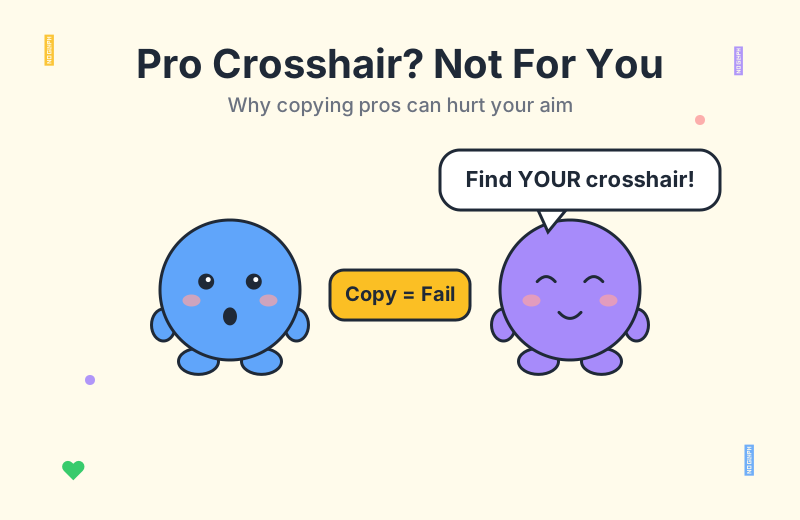
But here is the catch: most professional crosshairs are tuned for players who already understand the game's recoil, movement, and timing at a deep level. They are stripped-down, minimalist, and intentionally quiet. For a Silver player whose fundamentals are still forming, that same clean look can hide exactly the feedback they need to improve.
According to a recent r/VALORANT thread, one Silver player did exactly this. They swapped their default crosshair for a high-tier setup, expecting to aim more cleanly, and instead found themselves missing shots without understanding why. Their question to the community, and the answers it pulled in, are some of the most useful advice you can read before you copy another pro's code.
Why a Pro Crosshair Can Hurt a New Valorant Player
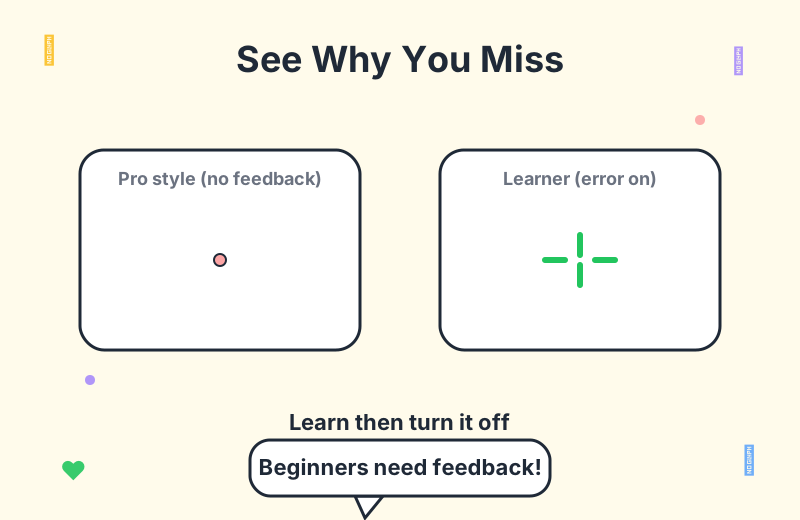
The core issue is feedback, not the dot itself. High-tier crosshairs usually ship with firing error and movement error disabled, which means the crosshair lines never expand to show you the weapon's actual accuracy range. For an experienced player that is the entire point — they want a clean, unchanging reticle so they can read their own movement and timing through muscle memory.
For a beginner, that silence is a trap. One Silver player in the thread described exactly this experience: after switching to a high-tier crosshair, their aim felt worse, not better, and they could not tell what was going wrong because the crosshair offered no visual cues. Players on Reddit were quick to point out why. The crosshair was hiding information that a newer player needs in order to understand why shots miss.
This is the first thing to understand about valorant crosshair settings: every choice trades feedback for cleanliness. Pros optimize for cleanliness because they no longer need the feedback. New players optimize for feedback because they are still learning the underlying mechanics.
If you are browsing a professional crosshair database looking for inspiration, that is fine — just remember that the code you copy was built for someone with thousands of hours of pattern recognition baked into their hands.
Firing Error and Movement Error: A Beginner's Best Tool
The two settings at the center of this debate are firing error and movement error. When you enable firing error on a crosshair, the inner lines spread apart while you shoot continuously, showing roughly where your bullets can land as the weapon becomes less accurate. Movement error does the same thing while you are strafing or otherwise in motion.
For a new player, those expanding lines are a visual lesson. They make it obvious that running and gunning, or holding down a Phantom against a single target, is going to spread shots across a wide cone. The Silver player in the thread was essentially flying blind because their new crosshair had both disabled, so the recoil pattern they were experiencing was invisible to them.
Several commenters made a stronger claim worth repeating: at low ranks, firing error valorant settings can be the difference between understanding why you miss and just assuming your aim is bad. The feedback teaches you to associate a specific feeling — moving while shooting, holding the trigger too long — with a visible consequence.
The Catch: Error Indicators Are Not Ground Truth
One nuance the thread made clear is that error indicators are not a perfect mirror of real bullet spread. During long sprays, the actual recoil deviation can drift away from what the crosshair is showing you, because the indicator is a guide, not a simulation of every bullet. A few players warned that leaning on the indicator too hard can teach you to wait for a visual confirmation that arrives too late.
This is the second half of the lesson. Treat firing error as training wheels, not as a long-term aiming aid. The community consensus, broadly, is to turn the indicators on for a few weeks, internalize the underlying mechanic, and then turn them off so you can read your own timing the way pros do.
A practical tip from the thread: if you do enable firing error as a learning tool, set the inner line offset to 0. With the offset zeroed, the lines start touching the center of the crosshair and spread outward as you fire, giving you a direct visual on the weapon's first-shot accuracy range. It is one of the most underrated beginner tweaks in the entire crosshair menu.
The Best Crosshair for Beginners Is Not a Pro Code
So what should a Silver or Gold player actually use? The answer is closer to the default crosshair than to any streamer dot. You want something small enough that it never covers an enemy head at engagement distance, but large enough that your eye can still pick it up in peripheral vision when you are focused on a corner.
A clean static crosshair, with a clear color that contrasts against most map backgrounds, will outperform a tiny pro dot for most players below Platinum. The pros are not better because their crosshair is smaller. They are better because their movement, crosshair placement, and trigger discipline make the size of the crosshair almost irrelevant to their results.
This is a point the Reddit thread hammered home repeatedly. In Silver, the crosshair you choose matters far less than your fundamentals — pre-aiming common angles, counter-strafing to stop quickly, holding tight to head height, and bursting instead of spraying. No pro crosshair code fixes a habit of running while shooting.
If you want a starting point, open the crosshair generator and build something legible rather than copying a code. Pick a color you can see clearly, set the inner lines to a length and thickness that read at a glance, and only then decide whether to leave firing error on while you learn.
When to Actually Switch to a Pro-Style Crosshair
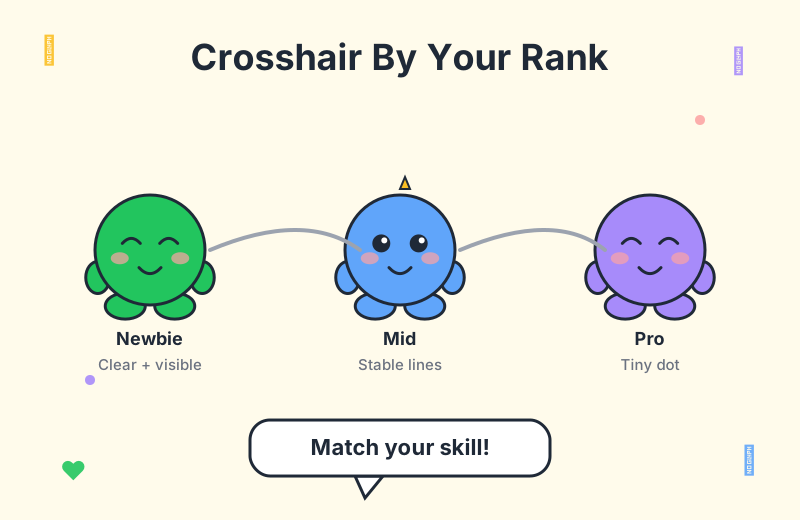
There is a right time to graduate to a minimalist crosshair. Once your aim is stable — meaning your first-shot accuracy is reliable, your bursts are controlled, and your movement is no longer sabotaging your shots — the firing error indicator stops teaching you anything new. That is when a clean dot or a small static crosshair starts to pay off, because your hands already know what the indicator would have shown you.
Before that point, switching to a pro code is mostly cosmetic. You will look the part without having the underlying skills to back it up, and you will lose the visual feedback that could have helped you build those skills faster.
A reasonable roadmap for most players:
If you want to see what high-level players run, browse a professional crosshair database — but treat it as reference material for when you are ready, not a shortcut to skill. And once you are comfortable with the basics, the same databases include plenty of fun crosshairs if you want something with a bit of personality for deathmatch.
Why Pro Crosshair Codes Skip the Feedback
There is a mechanical reason most shared pro codes do not include firing error and movement error. Pros turn those settings off deliberately because their movement and trigger discipline are good enough that the indicators would be noise. When you copy that code, you inherit the silence without inheriting the skill that justified it.
This is also why a lot of the most popular crosshair codes are tiny dots or thin plus signs with everything else disabled. The pro player sharing the code has already solved the problems the indicators are designed to surface. They do not need a reminder to stop moving before they shoot, because their movement naturally sets up their shots.
For newer players, that is exactly the reminder they need. So when you see a clean crosshair code on stream and feel the urge to copy it, ask yourself honestly whether your movement and trigger control are at the point where you can afford to turn off the feedback. If the answer is no, you are probably better off with the default.
You can read more on this kind of fundamentals-first thinking across the rest of the Valorant blog, where most of the genuinely useful advice circles back to the same idea: settings matter less than the habits you build with them.
Frequently Asked Questions
Should beginners copy pro crosshair codes?
Not usually. Pro codes are often tiny static dots with firing error and movement error turned off, which removes the visual feedback new players need to understand why they miss. Start from the default crosshair and only adjust color and clarity first.
What does firing error do in Valorant?
When enabled, the crosshair lines spread apart while you fire continuously or move, showing the weapon accuracy range. It is useful as a temporary learning tool, but pros turn it off because they read timings through muscle memory.
How big should a crosshair be for low ranks?
Small enough that it never covers an enemy head at engagement distance, but large enough that you can still see it clearly in your peripheral vision. A clean static crosshair beats a tiny pro dot for most Silver and Gold players.
When should I switch to a pro-style crosshair?
Once your aim is stable, you can transition to a smaller dot or minimalist crosshair. Until then, prioritize crosshair clarity and visibility over copying a specific pro code.
Does the firing error indicator match the real bullet spread?
Not perfectly. The indicator is a guide, and during long sprays the actual recoil can deviate from what it shows. Treat it as feedback, not ground truth, and learn the spray pattern itself.
Conclusion
The lesson from that Silver player's thread is straightforward: a valorant crosshair is a tool, not a trophy. Copying a pro code feels like progress, but if it removes the feedback you actually need at your current rank, it is making you worse, not better. Keep firing error and movement error on while you are still learning the mechanics, set your inner line offset to 0 so the weapon's accuracy range is visible, and switch to a minimalist crosshair only when your aim is stable enough to no longer need the indicators. If you want to compare your setup against what high-level players run, browse the professional crosshair database, and when you are ready to build your own, the crosshair generator is the place to start. Fundamentals first, cosmetics second.